Resellers: Save 3–4 Hours With One AI Hub for Pricing and Listings

Resellers: Save 3–4 Hours With One AI Hub for Pricing and Listings
Start with pricing and listing automation, since sold-comps checks and AI-drafted listings return the fastest hours-back. Layer in photo cleanup and inventory sync once that’s running, and use a command center like Resell Ready to keep pricing, sourcing, and profit numbers in one place. If you do nothing else this week, run a sold-comps scan on your current inventory or start a Resell Ready trial.
TL;DR:
- Running sold-comps checks on inventory can save between 3 to 4 hours daily for resellers listing about 20 items per day.
- Automating tasks such as pricing, listing creation, and photo cleanup can reduce manual effort and improve sell-through rates, but must be implemented step-by-step.
- A command center like Resell Ready consolidates key resale metrics and tools into one dashboard, helping make faster buy, skip, and pricing decisions.
- To scale automation safely, resellers must throttle activity, randomize timings, respect platform quotas, and monitor for signs of account issues.
- Establishing a 90-day automation plan involves gradually adding cross-listing and ROI tracking, with initial focus on pricing checks and inventory management.
Looking for a tool to run the numbers? ResellReady's reseller profit calculator pulls live comps across eBay, Depop, Mercari, and Poshmark and calculates true net profit after fees. Compare plans and pricing — Basic starts with a 3-day free trial.
Table of Contents
- What Should Go Into Your AI Automation Stack?
- How Do You Actually Implement This Automation?
- What Quick Wins Can You Deploy This Week?
- How Do You Scale Automation Without Risking Your Accounts?
- What Does Resell Ready’s Command Center Actually Automate?
- What’s a Realistic 90-Day Automation Roadmap?
- Try the Command Center Built for This Exact Workflow
- Where to Read More on AI Automation for Resellers
- Sources
What Should Go Into Your AI Automation Stack?
Most resellers overbuild their tool stack before they’ve fixed the one thing actually costing them hours. The fix isn’t more software. It’s the right five categories in the right order.
Pricing and sold-comps research comes first because it’s the single biggest time drain in sourcing. Manually checking sold listings on eBay, checking a few Facebook Marketplace posts, and eyeballing a “fair” price can eat several minutes per item. AI-driven comps tools cut that to under 30 seconds, and tool roundups estimate resellers listing 20 items a day save 3 to 4 hours daily once pricing and listing automation are running together.
Listing generation is next. AI-drafted titles and descriptions, built from a photo and a few keywords, replace the blank-page problem that slows batch listing to a crawl.
Photo cleanup matters more than resellers give it credit for. Background removal and batch edits turn a phone photo into something marketplace-ready in minutes rather than requiring a lightbox setup for every item.
Cross-listing and sync keeps the same item live and priced consistently across eBay, Poshmark, Depop, Mercari, and Vinted without you manually updating five tabs.
Automated messaging and returns handling rounds out the stack, catching routine buyer questions and shipping confirmations that would otherwise interrupt sourcing time.
The categories that consistently show up across 2026 tool comparisons are:
- Pricing and sold-comps checkers
- AI listing and description generators
- Photo background removal and batch editing
- Cross-listing and inventory sync tools
- Automated buyer messaging and delist rules
The gap most stacks miss is a hub connecting them. Isolated tools give you five separate dashboards and no single view of margin. A command center like Resell Ready pulls ROI, inventory, and sourcing signals into one terminal, so a buy/skip decision doesn’t require cross-referencing three apps.
How Do You Actually Implement This Automation?
Don’t automate everything at once. Pick the bottleneck first, build one workflow, then expand.
- Audit your time. Track a normal sourcing day in 15 minute blocks for three days. Whatever eats the most hours (comping, photographing, writing descriptions) is your first automation target.
- Calculate cost of labor. If pricing research eats 2 hours a day and your time is worth even $20 an hour, that’s $40 a day, or roughly $1,200 a month, spent on something software does in seconds.
- Build the pipeline in order: photo capture, then automated image prep, then an AI listing draft, then a price comp check, then cross-listing, then inventory sync.
- Set confidence thresholds. Auto-accept AI price suggestions inside a set margin (say, within 5% of your target), and route anything outside that range to manual review.
- Run A/B pricing tests on a subset of listings before rolling a pricing rule across your whole catalog.
Pro Tip: Automate the step you dread most first, not the step that looks easiest. The dread is usually a signal of real time cost, and fixing it builds momentum to automate the rest.
Guardrails matter as much as the automation itself. A weekly manual review of AI-generated listings and price changes catches drift before it costs you margin, and it takes fifteen minutes if you build the habit early.
What Quick Wins Can You Deploy This Week?
You don’t need a full stack to see results. Four small experiments, run over seven days, tell you whether automation is worth scaling.
- Scan while sourcing. Run every potential buy through a sold-comps tool before you commit cash. Conservative estimate: saves several minutes per item versus manual research.
- Batch-clean photos. Run a week’s worth of new inventory photos through background removal in one sitting rather than one at a time.
- AI-draft 10 listings. Generate titles and descriptions for ten items using AI, then edit rather than write from scratch.
- Set auto-delist rules. Configure automatic delisting when an item sells on one platform, so you’re not manually pulling duplicates.
Sold-comps and pricing automation alone can save 3 to 4 hours a day for a reseller listing around 20 items daily, and that’s before touching photo or cross-listing automation. Measure success by comparing time-per-listing before and after, and by whether your sell-through rate holds steady with less manual effort.
How Do You Scale Automation Without Risking Your Accounts?
Rate limits, not bad pricing decisions, are what actually get automated accounts flagged. Marketplaces watch for bot-like timing, and a script that lists 50 items in ten minutes reads as exactly that.
- Throttle activity. Space out listings and price updates instead of firing them in a burst.
- Randomize timing. Human sellers don’t act on a fixed schedule, so your automation shouldn’t either.
- Respect platform-specific quotas. eBay, Poshmark, and Vinted each have different tolerances for bulk actions.
- Flag low-confidence actions for manual review rather than letting automation run unchecked on anything outside your set thresholds.
- Audit monthly. Pull a log of automated actions and spot-check a sample against what actually happened on each platform.
Pause automation the moment you see unexplained listing removals or a sudden message from a platform’s trust and safety team. That’s your signal to review, not push through.
What Does Resell Ready’s Command Center Actually Automate?
Resell Ready was built around the idea that scattered tools cost resellers more time than they save, since reducing tool friction by consolidating pricing, inventory, and profit tracking cuts inconsistent repricing and margin leakage. Instead of five dashboards, you get one terminal.
Inside it, you can:
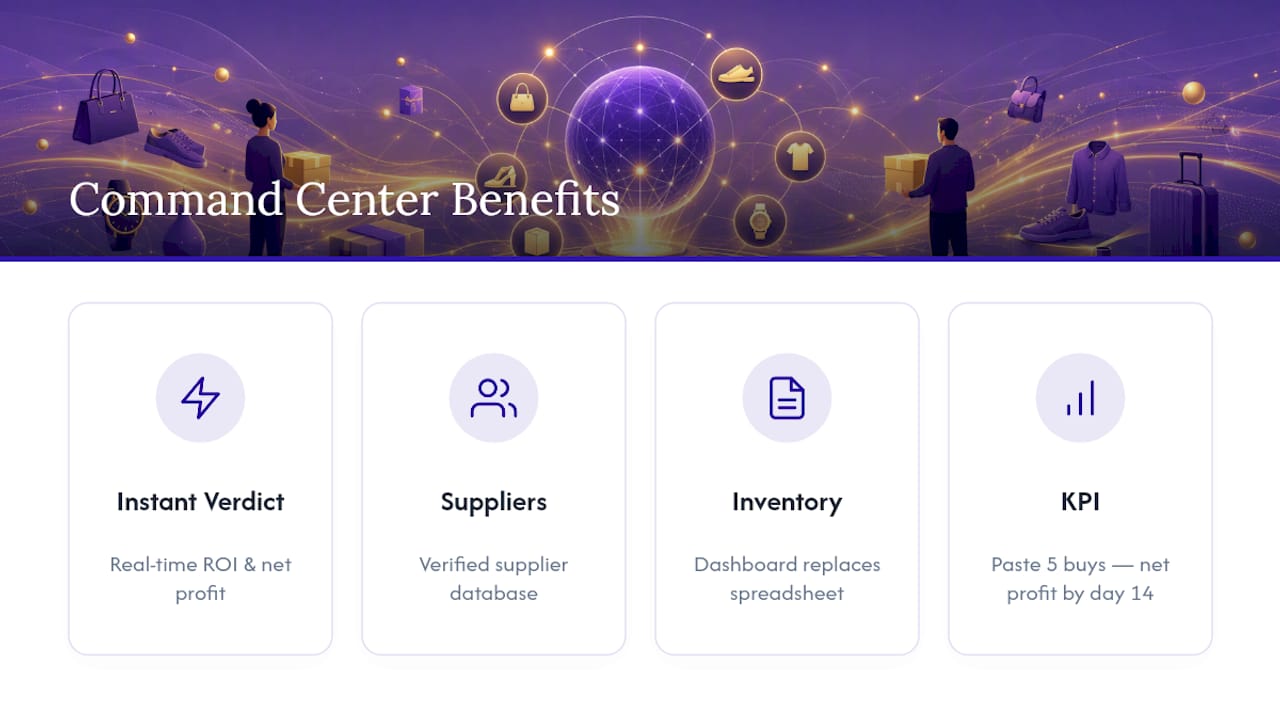
- Paste ASINs for instant buy/skip insights and suggested pricing
- Track real-time ROI and net profit across every active flip
- Search a verified supplier database across Alibaba, Made-in-China, Global Sources, and 1688
- Run live resale price checks across eBay, Depop, Mercari, Poshmark, Grailed, and Vinted
- Monitor inventory and capital through an automated dashboard rather than a spreadsheet
The KPIs worth tracking once a command center is running: time spent per listing, sell-through rate within 30 days, and net profit per flip. Resell Ready’s own guidance on AI pricing strategy for e-commerce sellers breaks down how those numbers should move once pricing automation kicks in.
A reseller checking ASINs one at a time in a browser tab is doing manually what a terminal does instantly. The margin difference isn’t in the sourcing, it’s in the seconds you get back on every single decision.
What’s a Realistic 90-Day Automation Roadmap?
By day 30, automate pricing checks and track hours saved weekly. By day 60, add listing generation and photo cleanup, watching sell-through rate for drift. By day 90, layer in cross-listing sync and consider help only once volume outpaces your review capacity, not before.
— Christian
Try the Command Center Built for This Exact Workflow
Everything in this stack works better when it isn’t five separate logins. Resell Ready is the terminal version of the workflow above: paste an ASIN and get an instant buy/skip verdict instead of tabbing between a comps tool, a spreadsheet, and a calculator.

What that actually changes day to day: faster buy/skip decisions from real-time ROI and net profit tracking, a verified supplier database instead of cold-messaging factories on Alibaba, and an inventory dashboard that replaces the spreadsheet most resellers are still limping along with. If you flip sneakers specifically, the sneaker reselling ROI tracker is built around that exact margin math. Resellers scaling through bulk sourcing can run numbers first with the pallet liquidation ROI estimator.
Start a trial, paste in your five most recent buys, and watch what the ROI numbers say by day 14. That’s the KPI that tells you whether this stack is worth building out further: net profit per flip, tracked automatically instead of guessed at.
Where to Read More on AI Automation for Resellers
For deeper reading, Resell Ready’s guides on AI product sourcing and free cross-listing tools expand on the workflows above. For a caution on synthetic imagery, this piece on AI product photos is worth a read before you lean too hard on generated images.
Sources
- AI Tools for Resellers 2026: Complete Guide
- 7 Best AI Productivity Tools For Online Resellers In 2026
Recommended
Ready to flip smarter?
ResellReady shows real sold prices, surfaces profitable deals, and builds your buying plan — the Basic plan starts with a 3-day free trial.
Get Started →