Data First Flipping Facebook Marketplace to eBay for Pro Resellers

Data First Flipping Facebook Marketplace to eBay for Pro Resellers
The workflow that actually scales runs on four moving parts: automated cross-market snapshots, bulk supplier catalog scans, a real net-profit formula, and one dashboard that tracks it all. Skip the spreadsheets. Pull price data across marketplaces on a schedule, vet supplier lots in bulk against your margin rules, calculate true profit after every fee, and centralize the results. Resell Ready builds this exact stack, from instant ASIN insights to automated ROI tracking, so a solo sourcer or a five-person agency runs the same playbook without rebuilding it from scratch every quarter.
TL;DR:
- Automate cross-market snapshots and supplier catalog scans to monitor prices and profitability in real-time, especially during high-volatility periods.
- Use a structured net profit formula that accounts for all costs, including fees, shipping, and returns reserves, to accurately evaluate SKU performance.
- Establish a minimum tech stack with a snapshot feed, catalog vetting, profit model, dashboard, and alert system to scale sourcing operations efficiently.
- Consistently verify supplier credibility and condition reports, especially for high-risk categories like electronics and designer apparel.
- Implement rapid communication and standardized workflows for Facebook Marketplace and local sourcing to maximize throughput and deal closure speed.
Looking for a tool to run the numbers? ResellReady's reseller profit calculator pulls live comps across eBay, Depop, Mercari, and Poshmark and calculates true net profit after fees. Compare plans and pricing — Basic starts with a 3-day free trial.
Table of Contents
- Quick Action Checklist and Minimum Tech Stack
- How Do You Set Up Cross-Market Price Checks?
- Supplier and Bulk Sourcing Workflow: Scans, Filters, Verification
- How Do You Calculate True Net Profit on a Flip?
- Centralizing Automation and Tracking
- Sourcing From Facebook Marketplace and Listing on eBay: The Workflow
- Assessing Condition and Authenticity Across Platforms
- Communicating and Negotiating With Facebook Marketplace Sellers
- Shipping Logistics for Flipping: Packaging, Labels, Carriers
- Automation Tools That Support the Full Flipping Process
- Managing Returns, Disputes, and Defective Inventory
- Scaling Sourcing to Agency Level: A Practitioner’s View
- Resell Ready: Your Command Center for This Entire Workflow
- Sources
Quick Action Checklist and Minimum Tech Stack
Before anything else, get the mechanics running. This is the setup sequence that turns a one-off sourcing win into a repeatable operation.
- Set your snapshot cadence. Daily for stable categories, hourly during sale events or flash liquidations.
- Prepare a clean catalog CSV. Standardize columns for UPC, cost, MOQ, and lead time before you scan anything.
- Define margin rules in writing. A minimum net margin percentage and a minimum dollar profit per unit, not just one or the other.
- Configure watchlists and alerts. Set threshold triggers so price drops or spread openings ping you instead of requiring manual checks.
- Run a pilot scan on 50 to 100 SKUs. Validate your data before committing capital to a full catalog run.
The minimum tech stack has five components, and each one fails a specific way if you skip it:
- A snapshot feed that pulls prices across marketplaces on schedule
- A catalog scanner that vets supplier files in bulk against restriction and profitability checks
- A profit model that bakes in fees, shipping, and prep cost per unit
- A dashboard that tracks capital deployed against realized returns
- Webhook alerts that fire on price or margin threshold breaches
Run this cadence weekly at minimum, and fix barcode mismatches and low match-confidence entries before they poison your trend data. A dirty UPC field early on corrupts every calculation downstream.
How Do You Set Up Cross-Market Price Checks?
A snapshot is a single structured pull of price data for one product across multiple marketplaces, timestamped and stored for comparison. Run it too rarely and you miss windows. Run it too often on stable categories and you burn API budget for no new signal. Using regular snapshots works for most steady-state categories; more frequent checks earn their cost only during sale events, restocks, or liquidation windows where prices move fast enough that a same-day check misses the opportunity.
Pay-per-snapshot APIs now deliver aligned price data across Amazon, eBay, and Walmart in a single structured response, which keeps scale tracking cheap enough to run continuously instead of in occasional batches, according to Price Pulse AI’s snapshot architecture. That low per-unit cost is what makes selective hourly cadence during high-volatility windows financially sane rather than a budget risk.
Normalize for shipping before you normalize anything else. A $40 item with free shipping beats a $36 item with $6 shipping, and plenty of sourcing tools miss this if they compare list price alone. Calculate landed price on both sides, then compute the spread as a percentage against your target marketplace’s typical resale value.
Matching confidence determines whether your spread numbers mean anything. The reliable sequence:
- Match on UPC or EAN first whenever the supplier catalog includes it
- Fall back to visual and text matching when barcodes are missing or inconsistent
- Store a stable grouping key, not a raw title, so trend data survives listing-title changes over time
Enterprise pricing platforms increasingly build this exact barcode-first, visual-fallback logic to cut false matches, since AI product matching engineered for cross-marketplace catalogs handles the messy title variation that trips up simple keyword matching.
Statistic to watch: structured snapshots that bundle marketplaces into one record and calculate a price_delta against a reference price make alert logic almost trivial. A snapshot format with vs_reference and is_undercut fields built in means you set one threshold rule (flag anything with a delta over 20% against your reference) and let the system do the flagging instead of a person scanning tabs.
Supplier and Bulk Sourcing Workflow: Scans, Filters, Verification
Ingest the supplier catalog as CSV or Excel first, and expect to fix mapping errors before anything downstream works. UPC fields get truncated, ASIN fields get mismatched, and title columns get merged with description columns more often than any supplier admits. Clean this before you scan, not after.
Bulk scanning engines return dozens of data points per SKU in one pass, profitability estimate, demand signal, competition count, and restriction flags like brand gating or hazmat status, which is what makes vetting a 2,000-line catalog possible in an afternoon instead of a week. Bulk supplier-catalog scanning tools built for this exact use return over 90 data points per product across a full file.
Build saved filter presets once and reuse them on every new catalog:
- Minimum net margin (a hard floor, not a suggestion)
- Maximum acceptable lead time
- MOQ ceiling matched to your warehouse capacity
- Category exclusions for anything you’ve had authenticity or return trouble with before
Pro Tip: When a lot’s average ROI looks mediocre, don’t skip it. Rank the SKUs inside that lot individually. High-variance pallets often hide two or three SKUs with real margin buried inside a dozen duds, and average-lot math will hide them from you every time.
Supplier verification comes before the purchase order, not after the first shipment arrives damaged. Check business registration, request sample photos of current stock, confirm return policy on defective units in writing, and treat vague answers about lead time as a red flag rather than a rounding error. A supplier who can’t quote a firm MOQ usually can’t hold a firm price either. For pallet and lot-level sourcing specifically, a marketplace like wholesale liquidation pallet listings gives you a concrete example of the variance you’re scanning for. Prioritize which pallets to buy using expected margin multiplied by expected sell-through velocity, not sticker price alone.
How Do You Calculate True Net Profit on a Flip?
Gross margin lies to you. Net profit is the only number worth building a sourcing rule around, and it requires every cost line, not just cost of goods and sale price.
The formula:
- Start with sale price on the destination marketplace.
- Subtract cost of goods (what you actually paid the supplier).
- Subtract inbound shipping or freight to your prep location.
- Subtract prep and labeling cost per unit.
- Subtract marketplace fees (final value fee, payment processing, any promoted listing spend).
- Subtract outbound shipping to the buyer.
- Subtract a returns reserve, a percentage of revenue set aside based on your category’s historical return rate.
- Subtract applicable sales tax obligations where they apply to your seller status.
What’s left is net profit. Divide that by total cash outlay (cost of goods plus inbound shipping plus prep) to get true ROI, the number that actually tells you whether a SKU is worth repeating.
Fee structures differ enough between marketplaces that identical items produce different net numbers. A $50 item selling on one platform at a 13% final value fee nets differently than the same item on a platform charging 15% plus a payment processing cut, and shipping-aware, fee-aware pricing tools exist specifically because manual fee tracking erodes margin without anyone noticing until a monthly reconciliation reveals it.
Feed realized results back into your sourcing filters monthly. A category that consistently underperforms its projected ROI should get flagged out of future scans, not kept in the rotation out of habit. Reviewing routing decisions by category is exactly the kind of margin discipline covered in ResellReady’s cross-market profit playbook.
Centralizing Automation and Tracking
The data flow, laid out end to end, looks like this: snapshots feed a shortlist of candidate SKUs, candidates get checked against supplier catalogs, verified suppliers generate purchase orders, inbound inventory gets logged against cost, and every unit flows into a P&L dashboard that tracks realized margin against projection. Spreadsheets can technically do all five steps. They just fail quietly the moment two people are editing the same file.

Resell Ready maps directly onto this pipeline. Instant ASIN insights replace manual lookup during the candidate-shortlist stage. Bulk supplier scanning handles the catalog-verification stage. Watchlists and price-target alerts sit on the snapshot layer, flagging opportunities the moment a spread opens. The inventory dashboard tracks capital deployed against stock on hand, and net-profit and ROI tracking run automatically instead of living in a formula someone forgot to update. A verified supplier database backs the whole thing, so sourcing decisions aren’t made on a supplier’s word alone.
Set watchlist rules narrow at first, one or two categories, then widen once alert volume proves manageable. Export CSVs to accounting on a fixed weekly schedule rather than an ad hoc basis, which keeps your books and your dashboard from drifting apart.
Pro Tip: Run a weekly reconciliation between planned ROI (what the scan projected) and realized P&L (what actually landed). A gap that keeps widening in the same category almost always traces back to a fee change or a shipping cost you didn’t rebuild into the model.
Sourcing From Facebook Marketplace and Listing on eBay: The Workflow
The operational sequence matters more than any single tool in it. Start with a defined search radius and saved search terms on Facebook Marketplace, run daily, targeting categories where you already know your net-margin math. Screening happens before contact, not after: check listing photos for damage, cross-reference the asking price against your live price-check data, and reject anything that fails your margin floor before you ever message the seller.
Once a listing clears the margin screen, move fast. Message with a specific pickup window, not a vague “is this still available.” Confirm condition details the photos don’t show (working state, original packaging, smoke exposure) before you drive anywhere. Cash and immediate pickup remain the norm for local Facebook Marketplace transactions, so bring exact change and a receipt template for higher-value purchases.
Back at your prep station, the item gets a condition grade, cleaned or repaired as needed, and photographed against a neutral background matching eBay’s listing standards. Title and description drafting should mirror the keyword patterns your price-check data already showed converting for that category, not guesswork. List with a price anchored to your net-profit calculation, not the highest number a quick eBay search turns up.
The gap between amateur and professional execution here is almost entirely about repetition speed. A team running this loop with saved search filters, a fixed screening checklist, and a standard prep procedure processes five times the volume of someone starting from scratch on every item. Track every step’s average time, because whichever stage is slowest is the one capping your monthly throughput.
Assessing Condition and Authenticity Across Platforms
Condition grading needs to be consistent across every marketplace you touch, because a “good” on Facebook Marketplace and a “good” on eBay mean different things to different buyers. Build a simple internal scale (new, like new, good, fair, for parts) and apply it the same way every time, checking for the same failure points regardless of category: seams and stitching on apparel, screen and port function on electronics, sole wear and midsole compression on footwear.
Authenticity checks matter most in categories where counterfeits are common, footwear, designer apparel, and electronics accessories being the three that generate the most disputes. Serial number verification against manufacturer databases catches a meaningful share of fakes before purchase. Stitching patterns, box label fonts, and hardware weight are the details counterfeiters get wrong most often, and a quick side-by-side comparison against manufacturer reference photos catches what a casual glance misses.
Photograph everything at intake, every angle, close-ups of any flaw, and any serial number or authenticity marker, before the item moves anywhere near your listing station. This intake photo set does double duty: it documents condition for your own records and gives you evidence if a buyer later disputes the item’s state on arrival.
For electronics specifically, power-on testing before purchase isn’t optional. A seller who won’t let you test a device before paying is a seller you should generally walk away from, since dead-on-arrival electronics are one of the most common and most preventable sources of return disputes in this business.
Communicating and Negotiating With Facebook Marketplace Sellers
Speed wins more deals than negotiating skill does. Sellers on Facebook Marketplace typically message multiple interested buyers at once, and the first person to confirm a specific pickup time usually gets the item regardless of who offered a slightly better price. Respond within minutes when a listing matches your margin criteria, not hours.
Ask condition questions before price questions. “Does it power on?” or “Any tears in the fabric?” gets you information that changes your offer, while opening with a lowball number before you know the true condition just burns goodwill and often ends the conversation. Once condition is confirmed, a direct, respectful counteroffer, framed around a specific number rather than a vague “would you take less,” closes faster than back-and-forth haggling.
Build short message templates for your most common categories so your team responds consistently and fast, but always personalize the first line to the specific listing. A templated message that clearly wasn’t read gets ignored more often than it gets answered. For recurring sellers, especially ones who post estate sale lots or bulk household liquidations, building a direct relationship pays off. Ask if they’ll message you before listing publicly next time, and you’ve effectively built a private sourcing pipeline that never shows up in anyone else’s search results.
Shipping Logistics for Flipping: Packaging, Labels, Carriers
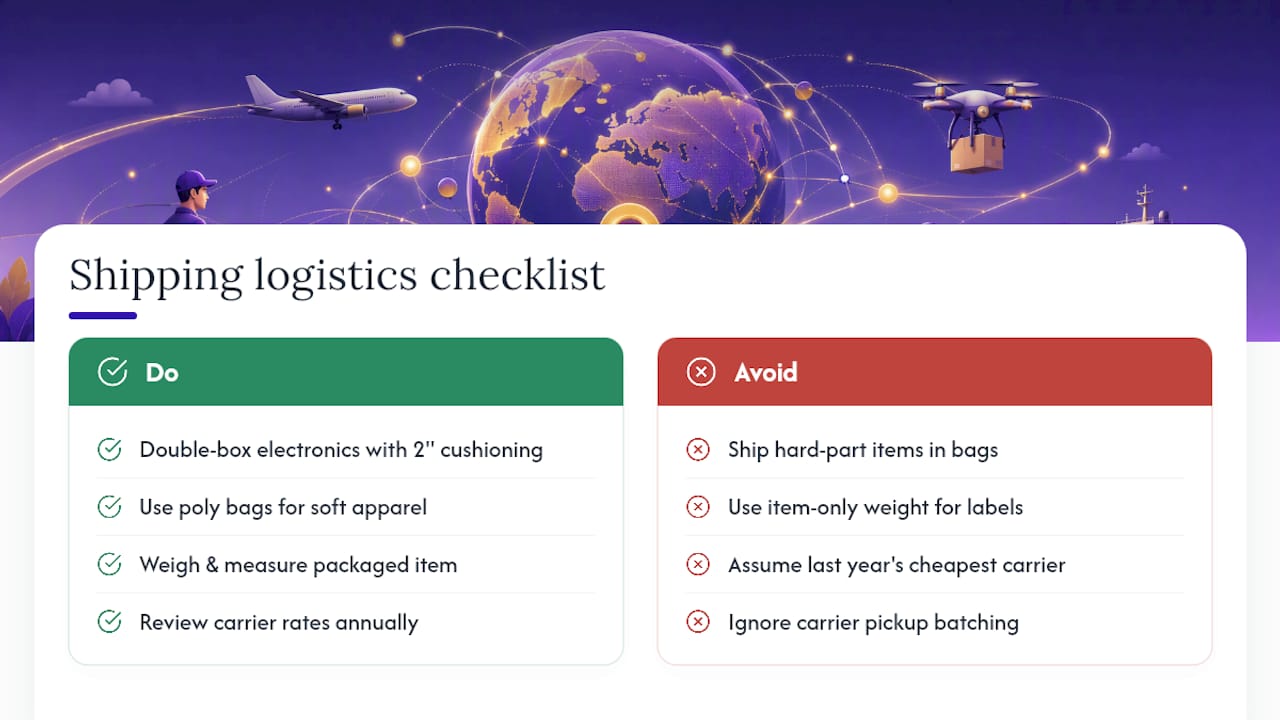
Packaging cost and damage risk trade off directly against each other, and getting this wrong shows up as return disputes weeks after the sale. Rigid items like electronics need double-boxing with at least two inches of cushioning on every side. Apparel and soft goods can ship in poly bags for cost savings, but anything with hard components, buttons, buckles, hardware, needs a box regardless of how flexible the item feels.
Label accuracy matters more at scale than it does on a single sale. A mismatched weight or dimension on a shipping label triggers a carrier adjustment fee that eats into margin on every single unit in a batch, not just the one that got flagged. Weigh and measure the actual packaged item, not the item alone, before generating labels, especially for anything sold in bulk lots where a small per-unit error compounds fast.
Carrier selection should follow item profile, not habit. Lightweight, small items generally move cheapest through a carrier’s regional ground service. Heavier or bulkier items often do better through freight-adjacent services with dimensional weight pricing built in rather than standard parcel rates, which can charge a premium for low-density boxes. Compare actual rates for your specific size and weight profile rather than assuming last year’s cheapest carrier still holds that title, since rate structures shift often enough that an annual review is worth the hour it takes.
Batch your shipping runs by carrier pickup schedule rather than shipping items the moment they sell. A fixed daily cutoff time, with everything sold before that point going out same day, keeps your seller metrics healthy without requiring constant trips to a drop-off location.
Automation Tools That Support the Full Flipping Process
The tools worth paying for cluster into four categories, and skipping any one of them means someone on your team is doing that job manually, which doesn’t scale past a handful of SKUs a week.
Cross-market price monitoring software uncovers undercutters and price movement across marketplaces fast enough to act on, with multi-marketplace price monitoring platforms built specifically to catch this kind of shift before a manual check would.
Supplier catalog scanners process bulk files against profitability and restriction rules in minutes rather than the hours a manual line-by-line review would take. Inventory and P&L dashboards replace the spreadsheet that inevitably breaks the moment two people try to edit it simultaneously. And cross-listing tools handle republishing the same item across multiple sale channels without manually rebuilding a listing on each platform, a workflow covered in more depth in ResellReady’s guide to free cross-listing tools.
Resell Ready consolidates the first three of those four categories into one dashboard, which matters most for teams past the point where a single person can hold every SKU’s status in their head. The right test for whether you need this layer of automation isn’t revenue, it’s whether anyone on your team has recently said “wait, did we already source that one?”
Managing Returns, Disputes, and Defective Inventory
Set a returns reserve before you need it, not after your first bad month. Most experienced resellers hold back a small percentage of revenue per category as a defect and return buffer, adjusted as appropriate based on category-specific failure rates.
Document condition at every handoff point: intake photos when you buy, prep photos before listing, and packaging photos right before the box ships. This chain of documentation is what actually wins a dispute when a buyer claims an item arrived in worse condition than described. Without it, marketplace dispute resolution defaults to favoring the buyer far more often than sellers expect.
Respond to return requests fast and without arguing over marginal cases. A $15 item isn’t worth a three-day dispute over $4 of shipping cost, and the account-health damage from an escalated case usually costs more than just eating the loss. Save the pushback for patterns, a single buyer disputing repeatedly, or a supplier whose lots consistently arrive with a defect rate above what they quoted.
When a supplier lot arrives with defect rates that don’t match what was represented, that’s a disqualifying signal for future orders, not a one-time bad batch to write off quietly. Track defect rate by supplier over time.
Scaling Sourcing to Agency Level: A Practitioner’s View
Automate the moment a manual task repeats daily. Before that, pilot on 50 to 100 SKUs and watch where the process breaks. Assign roles early: a sourcer running snapshots and screening, a validator checking supplier data and condition claims, a lister handling final pricing and publish.
The failure pattern I see most is teams scaling volume before they’ve scaled data hygiene. Barcode mismatches that were tolerable at 50 SKUs a month become expensive at 500. Shipping cost volatility and mis-estimated MOQs both punish scale faster than they punish a small operation. Hand new hires a short SOP: confirm match confidence, verify supplier docs, run the margin formula before any purchase order, log every unit at intake. Skip a step and the dashboard eventually shows you exactly where.
— Christian
Resell Ready: Your Command Center for This Entire Workflow
Everything covered here, snapshot cadence, catalog scanning, net-profit math, supplier verification, gets slower and messier the moment it lives across four different spreadsheets and a group chat. Resell Ready replaces that sprawl with one dark-mode terminal built for exactly this workflow: paste ASINs for instant insights, run bulk supplier scans against your saved filters, and watch ROI and net profit update automatically as inventory moves instead of at month-end when it’s too late to fix anything.

The verified supplier database means your validator isn’t starting every new supplier relationship from zero trust. The inventory dashboard means your P&L reflects reality, not a projection from three weeks ago. If you’re currently running any piece of this on a spreadsheet, start a trial and run a sample scan against your own catalog data, or plug a lot you’re considering into the Pallet Liquidation ROI Estimator before you commit capital to it. Either way, you’ll know within minutes whether the math actually holds up.
Sources
For deeper technical grounding on the pieces covered above:
- Rocket Source | Amazon FBA Wholesale Sourcing Tool
- Price Pulse AI — Apify actor
- Omnia Price Monitoring Software | Pricing data for Retail & eCommerce
Recommended
Ready to flip smarter?
ResellReady shows real sold prices, surfaces profitable deals, and builds your buying plan — the Basic plan starts with a 3-day free trial.
Get Started →